
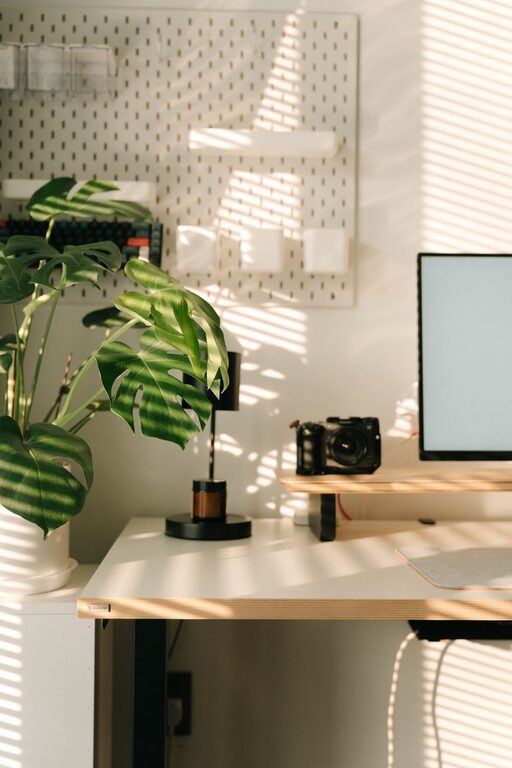
Creating a relaxing home workspace is essential for maintaining focus and boosting productivity, especially if you spend a significant portion of your day working from home. A thoughtfully designed workspace can help reduce stress, improve concentration, and make work feel more enjoyable. Here are some practical tips to help you create a calming and productive environment.
Choose the Right Location
Find a Quiet Spot
Select a space in your home that is naturally quiet and has minimal distractions. This could be a spare room, a corner in the bedroom, or a nook in the living room. The goal is to have an area dedicated solely to work, separate from where you relax or sleep.
Consider Natural Light
Natural light can improve mood and energy levels. Position your desk near a window if possible. If natural light is limited, invest in warm, adjustable lighting to reduce eye strain and create a cozy atmosphere.
Invest in Comfortable Furniture
Ergonomic Chair and Desk
Comfort is key. Choose an ergonomic chair that supports your back and encourages good posture. Pair it with a desk at the right height to avoid strain on your wrists and shoulders.
Personalize Your Space
Add elements that make you feel calm and motivated, like a soft throw blanket, a small cushion, or a favorite piece of art. Personal touches can make your workspace feel inviting and unique.
Keep It Organized and Clutter-Free
Use Storage Solutions
Invest in shelves, drawers, and organizers to keep supplies and papers tidy. A clutter-free desk helps clear your mind and prevents distractions.
Daily Clean-Up Routine
Spend a few minutes at the end of each workday to tidy your space. This prepares you mentally for the next day and keeps the area clean and welcoming.
Incorporate Calming Elements
Plants and Nature
Indoor plants not only purify the air but also add a touch of nature that can reduce stress. Choose low-maintenance plants like succulents or snake plants if you’re new to gardening.
Soothing Colors
Choose a color palette for your workspace that promotes relaxation and focus. Soft blues, greens, or neutrals work well and create a peaceful environment.
Set Up Technology Thoughtfully
Minimize Cords and Clutter
Use cable organizers to keep cords under control and out of sight. A tidy tech setup reduces distraction and makes your space easier to use.
Quality Tech Gear
Invest in tools that improve your workflow, such as a good quality keyboard, mouse, and webcam for virtual meetings. Comfortable and efficient technology can make work smoother and less frustrating.
Create Work Boundaries
Schedule Breaks
Incorporate short breaks into your workday to stretch, move around, and refresh your mind. This prevents burnout and keeps productivity steady.
Set Defined Work Hours
Clearly define your work hours to separate professional time from personal time. Having boundaries ensures you’re not overworking and have time to relax.
Add Personal Touches to Boost Motivation
Inspirational Quotes or Photos
Place items that inspire or motivate you within view, such as a favorite quote or a photo of loved ones. These can provide a quick mental boost during challenging moments.
Background Music or White Noise
If it helps you concentrate, play soft background music or white noise. This can drown out distracting sounds and create a calming atmosphere.
Maintain Good Air Quality
Ventilate the Space
Open windows when possible or use an air purifier to keep the air fresh. Good air quality enhances alertness and reduces fatigue during work.
Conclusion
Designing a relaxing home workspace that also boosts productivity is about balance. By choosing the right location, investing in comfortable furniture, maintaining organization, and incorporating calming elements, you can create an environment where work feels less stressful and more efficient. Remember, the best workspace is one that suits your personal needs and helps you stay focused and relaxed throughout the day. Start experimenting with these tips, and enjoy a better work-from-home experience!