
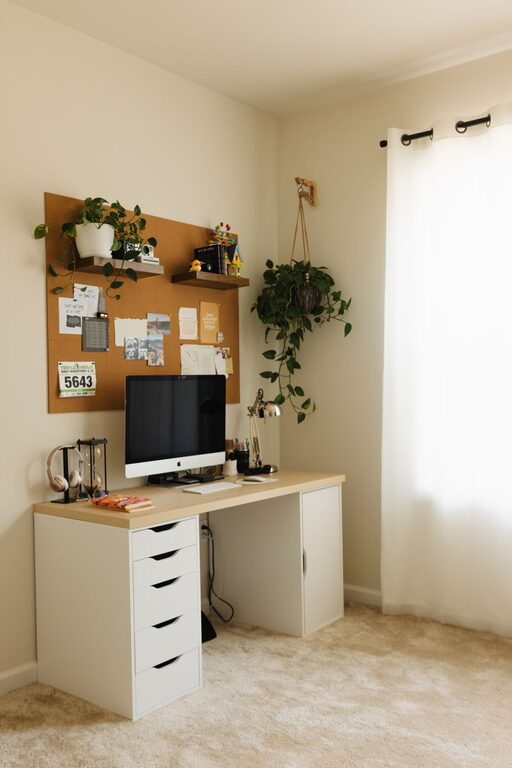
Creating a home office that is both cozy and functional is essential for anyone who works remotely or spends a lot of time on personal projects. A well-designed workspace can boost productivity, reduce stress, and make working from home more enjoyable. In this post, we’ll share practical tips to help you set up a home office that feels inviting and supports your daily work needs.
Choose the Right Location
The first step in creating a home office is deciding where it will be. Ideally, pick a quiet spot away from distractions, with ample natural light if possible. Natural light can improve your mood and energy, making the day go by smoother.
Look for a space that fits your work style:
– A spare bedroom or a corner of a living room can work well.
– If privacy is important, consider a room with a door.
– Avoid high-traffic areas to minimize interruptions.
Prioritize Comfort with Ergonomic Furniture
Comfort is key for long work sessions. Invest in ergonomic furniture to support your posture and prevent strain.
– Chair: Choose an adjustable office chair with good lumbar support.
– Desk: Find a desk at the right height—your elbows should be at a 90-degree angle when typing.
– Keyboard and mouse: Place them within reach and consider ergonomic options to ease wrist strain.
Adding a standing desk or a convertible sit-stand setup can add flexibility to your routine.
Organize with Storage Solutions
Clutter can lead to distraction. Keep your items organized with smart storage options.
– Use shelves or cabinets to store books, paperwork, and supplies.
– Desk organizers or drawer dividers help keep small items neat.
– Consider labeled baskets or boxes to quickly find what you need.
Maintaining a tidy workspace makes it easier to focus and fosters a sense of calm.
Make it Cozy with Personal Touches
Your home office should feel inviting. Add elements that reflect your personality and create a cozy environment.
– Add soft textiles like a rug, throw blanket, or cushions.
– Incorporate plants to bring nature indoors; they improve air quality and mood.
– Hang artwork or photos that inspire and motivate you.
– Use warm lighting, such as a desk lamp with adjustable brightness, to reduce eye strain.
Optimize Lighting
Good lighting is crucial to minimize fatigue and keep energy levels up.
– Use a combination of natural light and artificial lighting.
– Position your desk near a window if possible.
– Avoid glare on your computer screen by adjusting blinds or curtains.
– Choose bulbs with a color temperature around 4000K to 5000K for a bright, neutral light ideal for working.
Minimize Distractions
To maintain focus, it’s important to create an environment with as few distractions as possible.
– Use noise-canceling headphones or soft background music to block out noise.
– Keep your phone on silent or in another room during work hours.
– Set clear boundaries with family members or housemates about your workspace and schedule.
Incorporate Technology Wisely
Equip your home office with the right technology to support your workflow.
– Invest in a reliable computer and fast internet connection.
– Use a quality webcam and microphone for virtual meetings.
– Consider cable management solutions to keep cords organized and out of sight.
Create a Routine and Set Boundaries
Your physical space matters, but so do your habits.
– Maintain regular working hours even when at home.
– Take breaks and step away from your desk periodically.
– Use your workspace only for work to help your brain associate it with productivity.
—
By following these tips, you can design a home office that is not only functional but also feels warm and welcoming. The right balance of comfort and efficiency will help you make the most of your work-from-home experience.